How to Add Driver and Work as a Driver on ExusTrans
In this guide, you will learn step by step how transport companies can create driver accounts, assign vehicles, and manage professional drivers on ExusTrans.
Step 1: Register as a Transport Company (Carrier) — Mandatory
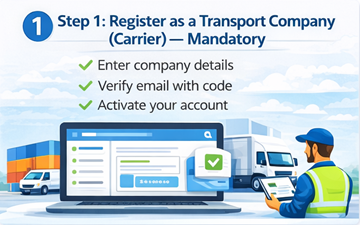
Only registered transport companies (carriers) can create driver accounts and assign vehicles on ExusTrans. Individual drivers cannot register independently.
Before adding any driver, the company must first create and verify a carrier account.
Who Can Register?
Only legally registered transport companies with:
- 🏢 Valid company name
- 💶 VAT number
- 📄 Business registration documents
- 📞 Verified contact details
- 📍 Active operational address
Carrier Access After Approval
- 👥 Driver management
- 🚛 Vehicle management
- 📦 Transport orders
- 💶 Payments and invoicing
- 📊 Fleet dashboard
Important Rule
⚠️ Drivers can only be created by verified carriers and are always linked to a registered company and an approved vehicle.
Why This Rule Exists
- Legal compliance
- Secure payments
- Professional standards
- Trust between customers and carriers
Without a verified carrier account, driver registration is not possible.
Step 2: Add a Driver to Your Carrier Account
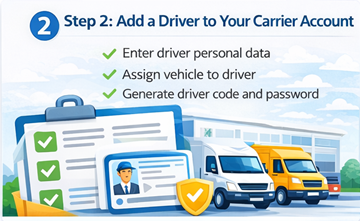
After your carrier account is approved, you can add drivers.
How to add a driver:
- Log in to your carrier dashboard
- Click Add Carrier (Driver)
- Enter driver details
- Upload required documents
- Save and submit
Required Driver and Vehicle Information
When creating a driver account, the carrier must enter both driver and assigned vehicle details. All information is required for verification and job matching.
Driver Information
- 👤 Driver name (Full name)
- 🔑 System-generated driver code
- 🔒 Password (set by carrier)
- 📄 Driving license category (B, C, CE, etc.)
- 📶 Current status (Ready / Busy / Offline)
Vehicle Information
- 🚛 Vehicle make (e.g. Mercedes)
- 🚐 Vehicle model (e.g. Sprinter)
- 📅 Manufacturing year
- 🌱 Emission class (Euro 5 / Euro 6)
- 🪪 License plate number
- ☣️ ADR certification (Yes / No)
- 📦 Euro pallet capacity
- ⚖️ Maximum load capacity (kg)
Cargo Space Dimensions
- Cargo length (m)
- Cargo width (m)
- Cargo height (m)
Account Activation
After saving the driver profile, ExusTrans generates a unique login code. The carrier provides this code and password to the driver for secure access.
Why Accurate Data Is Important
- Automatic matching with suitable transport orders
- Legal and insurance compliance
- Correct load and cargo calculation
- Improved customer trust
- Faster order processing
Step 3: Upload and Verify Driver and Vehicle Documents
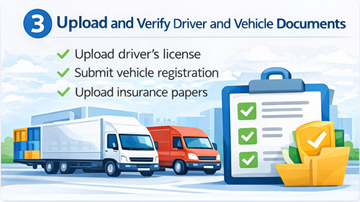
After creating the driver and vehicle profile, the carrier must upload all required legal and insurance documents. Only verified drivers can receive transport assignments.
Required Vehicle Documents (PDF)
- Registration certificate – Vehicle (PDF)
- Transportation license – Vehicle (PDF)
- Vehicle insurance certificate (PDF)
- CMR insurance certificate (PDF)
- Load capacity report – Vehicle (PDF)
Required Driver Documents (PDF)
- Driving license – Driver (PDF)
Upload Rules
- 📄 Only PDF files are accepted
- ✅ All documents must be valid and readable
- ⛔ Expired documents are not allowed
- 🔍 Each document must match driver and vehicle
- ⚠️ Incomplete profiles cannot be activated
Verification Process
All uploaded documents are reviewed by the ExusTrans verification team. The review process usually takes between 24 and 72 hours.
- Manual document inspection
- Authenticity check
- Expiration date validation
- Compliance verification
Automatic Expiration Control
ExusTrans automatically monitors document validity. The system sends notifications before expiration to prevent account suspension.
Important Rule
⚠️ Drivers and vehicles without verified documents cannot accept transport jobs on the platform.
Why Document Verification Is Required
- Legal compliance with EU transport regulations
- Insurance and liability protection
- Fraud prevention
- Customer trust
- Platform safety
Step 4: Driver Login and Account Management
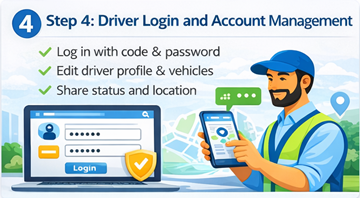
After the carrier creates the driver account, the driver can log in using the system-generated code and the provided password.
Driver Login
Drivers access their account using a unique driver code and password. No email registration is required.
- System-generated driver code
- Carrier-provided password
- Secure login access
- Account linked to carrier
Profile Editing Rights
After logging in, the driver can manage and update their personal and vehicle information.
- Edit driver name and personal data
- Update driving license category
- Edit vehicle make and model
- Update load capacity and cargo dimensions
- Manage assigned vehicle data
Document Management
Drivers can upload, replace, and update their documents directly from their account.
- Upload required PDF documents
- Replace expired files
- View verification status
- Track document approval
Status Management
Drivers control their availability by updating their working status.
- ✅ Ready (Available for jobs)
- 📌 Booked (Assigned to order)
- 📍 Arrived (At location)
- 📦 Loaded (Cargo loaded)
- 🚚 On The Way (In transit)
- ⏸️ Pause (Break / waiting)
- 📤 Unloaded (Delivered)
- 😴 Sleeps (Rest time)
Location and Destination Updates
Drivers can share their current location and destination to improve coordination and transparency.
- Enable real-time location sharing
- Update current position
- Set destination address
What Can Drivers Do on ExusTrans?
ExusTrans provides drivers with full professional tools to manage transport work, communicate with customers, and optimize daily operations.
Search and View Transport Orders
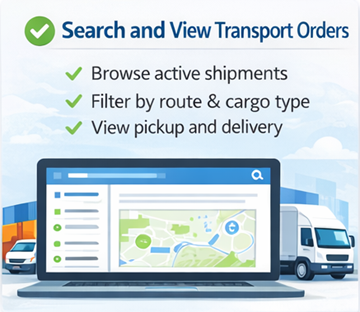
Drivers can browse available transport orders published by customers and carriers.
- 🔍 Search active transport requests
- 🗺️ Filter by route and cargo type
- 📍 View pickup and delivery locations
- 📦 Check cargo requirements
- 💰 Analyze order profitability
Offer Vehicle for Transport Orders
Drivers can submit offers using their assigned vehicle for suitable transport orders.
- Send transport price offers
- Offer available vehicle capacity
- Propose delivery schedules
- Adjust pricing based on distance and load
- Submit counter-offers
Accept Customer Offers
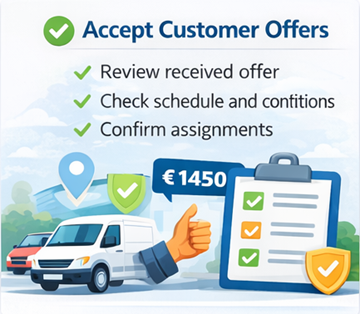
Drivers can review and accept transport offers received from customers and carriers.
- Accept confirmed transport requests
- Review contract details
- Confirm schedules
- Lock transport conditions
- Start delivery workflow
Full Access to Integrated Chat
Drivers communicate directly with customers and carriers through the built-in chat system.
- Send and receive instant messages
- Share real-time location
- Upload photos and documents
- Negotiate prices and schedules
- Discuss loading and unloading details
- Confirm special instructions
Manage Toll Fees and Extra Costs
Drivers can report additional transport-related costs directly through chat and order management tools.
- Submit toll expenses
- Upload receipts
- Request waiting-time compensation
- Report parking and ferry fees
- Track cost approval status
What Drivers Cannot Do on ExusTrans
To ensure legal compliance, financial security, and clear responsibility, certain management and financial functions are restricted to carrier companies.
No Access to Invoicing Management
Drivers cannot create, edit, or manage invoices on the platform.
- ❌ No invoice creation
- ❌ No invoice modification
- ❌ No VAT handling
- ❌ No billing management
- ❌ No financial reporting
No Payment Acceptance
All customer payments are processed and received by the registered carrier company.
- No direct payment collection
- No access to payment systems
- No Stripe or bank account management
- No refund processing
- No payout configuration
No Management of Completed Offers
Drivers cannot modify or administrate completed and closed transport offers.
- No editing finished orders
- No reopening closed offers
- No price changes after completion
- No document deletion
- No status rollback
Frequently Asked Questions (FAQ)
Can I register as a driver without a company?
No. Individual drivers cannot register independently. Only verified transport companies (carriers) can create driver accounts.
How do I get a driver account?
Your carrier creates your account from their company dashboard. The system generates a unique driver code and password for you.
Do I need an email address to use ExusTrans?
No. Drivers do not need an email address. Login is done using a system-generated code and password.
Who provides my login details?
Your carrier company provides you with your driver code and password after creating your account.
Can I change my password?
Yes. After logging in, you can change your password from your account settings.
Can I edit my personal and vehicle information?
Yes. Drivers can edit their profile, vehicle data, load capacity, and cargo dimensions. Some changes may require carrier approval.
Can I upload and update documents myself?
Yes. Drivers can upload, replace, and update required PDF documents directly from their account.
What happens if my documents expire?
You will receive notifications before expiration. Expired documents may temporarily block access to new transport jobs.
Can I work in multiple countries?
Yes. Drivers can operate across all supported European countries, as long as their documents are valid.
How do I receive transport jobs?
You can search for transport orders, submit offers, and receive assignments through the platform.
Can I negotiate prices and conditions?
Yes. Drivers can negotiate prices, schedules, toll fees, and extra costs through the integrated chat.
How do I report extra costs?
You can submit tolls, parking, ferry, and waiting-time costs through chat and order tools. Customers must approve them.
Who receives the payment?
All payments are sent to the carrier company. Drivers are paid according to their agreement with the carrier.
Can I create or manage invoices?
No. Invoicing and billing are handled exclusively by the carrier company.
Can I accept payments directly from customers?
No. Drivers cannot accept direct payments. All financial transactions are managed by the carrier.
Can I modify completed orders?
No. Finished and closed offers cannot be edited by drivers.
What if I forget my login details?
Contact your carrier company. They can reset your password and provide new access credentials.
Can I use ExusTrans on multiple devices?
Yes. You can log in on smartphones, tablets, and desktop devices.
Is ExusTrans free for drivers?
Yes. Drivers do not pay registration or platform usage fees.
Who do I contact for support?
For account and operational issues, contact your carrier first. For technical problems, use ExusTrans support.
Conclusion: Working as a Driver on ExusTrans
ExusTrans offers professional drivers a secure and transparent platform to manage transport work across Europe through verified carrier companies. By working under an approved transport company, drivers benefit from stable assignments, real-time communication, secure document management, and legally compliant operations, ensuring long-term professional growth and reliable cooperation.
eXus Dev